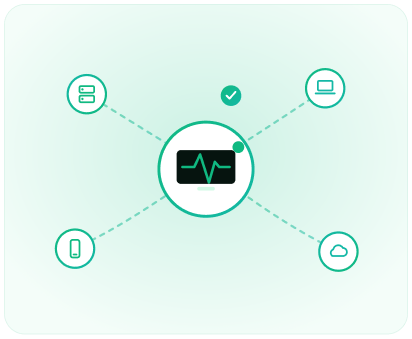
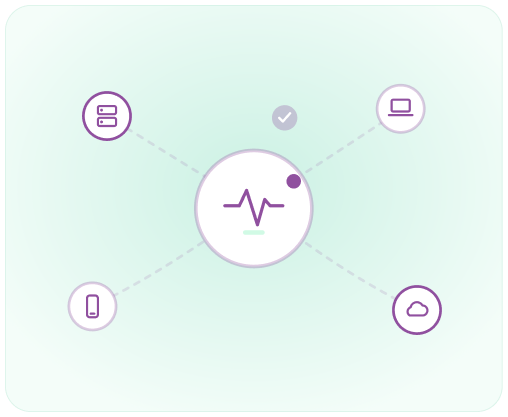
Almost every organization now runs on technology — laptops, servers, cloud apps,
networks, and the data flowing through them. Managed IT services is the practice of
handing the day-to-day care of all that to a specialist provider, so it stays secure, up to
date, and running.
That provider is usually called an MSP (managed service provider). Instead of fixing things
only when they break, an MSP proactively monitors systems, applies updates, supports users,
and backs up data — typically for a predictable monthly fee rather than unpredictable repair
bills.
The goal of managed IT isn't to fix more
problems faster — it's to quietly prevent
most of them from happening at all.
The picture by the numbers
A few figures that show why organizations outsource IT. (Illustrative figures for context.)
Figures are illustrative and provided for general context, not sourced from a specific report.
Why IT is hard to run alone
Running IT well in-house is demanding — it needs round-the-clock attention, broad expertise,
and constant vigilance against threats.
How managed IT works
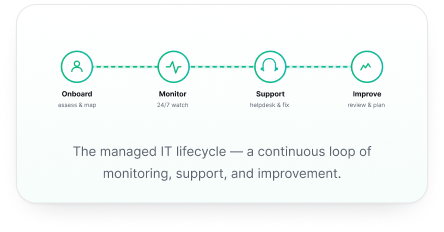
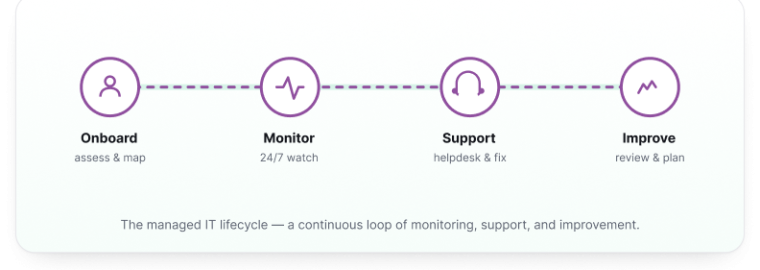
A managed provider follows a continuous cycle — get to know your environment, watch it
constantly, support and maintain it, and keep improving it over time.
Five capabilities make up most managed IT engagements: proactive monitoring (catching
issues early), helpdesk support (helping users), patching & maintenance (keeping software
current), backup & recovery (protecting data), and security (defending against threats).
Key building blocks
The terms you'll hear most often when people talk about managed IT:
MSP — Managed Service Provider
The company that takes responsibility for monitoring, maintaining, and supporting your IT,
usually for a recurring fee.
SLA — Service Level Agreement
The contract that defines what's covered and the promised standards — for example, response
times and uptime targets.
RMM — Remote Monitoring & Management
The tooling an MSP uses to watch devices, push updates, and fix issues remotely.
Helpdesk & tiers
The support function, often organized in tiers — Tier 1 handles common requests; higher tiers
handle complex problems.
Patch management
Scheduling and applying software updates to close security gaps and keep systems stable.
Backup & DR
Backup keeps copies of your data; disaster recovery (DR) is the plan to restore systems quickly
after an outage.
Co-managed IT
A shared model where an MSP works alongside your internal IT team rather than replacing it.
Where it's heading
A few shifts shaping the next chapter of managed IT:
Cloud-first management
As workloads move to the cloud, MSPs
increasingly manage cloud estates and
SaaS, not just on-site hardware.
Security convergence
Managed IT and managed security are
merging, with providers offering deeper
threat detection and response.
Automation & AIOps
Automation and AI handle routine fixes
and surface issues before they cause
downtime.
Remote & hybrid support
Supporting distributed teams and
devices anywhere is now a core part of
the job.
Frequently asked questions
Explore related
Want to go deeper, or talk through IT support for your organization?
Cybersecurity →
Service levels & SLAs →
Contact us →
Trust Center →